

Download web videos for mobile devices with simple conversion tools, despite limited speed and compatibility
Download web videos for mobile devices with simple conversion tools, despite limited speed and compatibility
Pros
- Grab video files for mobile use
- Download and convert as needed
Cons
- Slow
- Many video sites not supported
Easy Video Downloader simplifies downloading videos from the Web for mobile use.
Easy Video Downloader is a Windows program that seeks to solve a problem that many mobile users have. Many users want videos on their phone or tablet that can be viewed offline. The problem there is that videos often download in a format that mobile devices can’t handle natively.
What this program seeks to do is ease the challenge of downloading those files for offline use and converting them to a file format that your device can handle natively. Easy Video Downloader works with YouTube, Google Video and Facebook. Provided a source, the app is very hands off. Just press the start button and wait for it to complete. You can opt between either AVI or MPEG4.
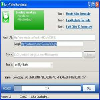
The user interface is well done. It’s modern and organized, and it doesn’t include clutter outside of a few links to the developer’s other software solutions. It features an accurate progress bar and makes it easy to determine where the downloaded and/or converted file is saved to. Depending on which mobile device you use, if it’s connected, you can even save the file directly to its storage.
Easy Video Downloader has a lot going for it, but it also has some significant downsides that we think may push users to the competition. One big issue is the speed at which it performs conversion to AVI. Relative to other download solutions like it, Easy Video Downloader is quite slow. Another issue is that it doesn’t interact with sites in a user-friendly way. You have to search in your browser, for instance, and then, input links one at a time. When the current conversion is complete, you can input another. Further compounding the problem is that many video-hosting sites are simply not supported or at least not well.
Pros
- Grab video files for mobile use
- Download and convert as needed
Cons
- Slow
- Many video sites not supported
Pros
- Supports dozens of video providers, including some less popular ones.
- Very simple user interface.
- Supports scheduling downloads for a later time.
Cons
- Program may crash or unexpectedly quit for some Windows 8 users.
Just like its name implies, Easy Video Downloader is a tool that lets you easily grab online videos and save them to your PC. The developers behind this small Windows application have put in a lot of effort to make it as easy to use as possible. You'll likely figure out how everything works with just one quick glance.
Easy Video Downloader supports many video streaming sites, including Vimeo, Yahoo, Flickr, Bing and Metacafe. To download a video, you just need to paste its URL in the provided field, choose the format for the output video file and press the download button. The video will be retrieved from the source website and saved to your computer without having to wait or go through page after page of ads, a common annoyance with other video downloader tools and websites.
This application comes with a few simple features that many users will find very convenient. You can save the downloaded videos in a variety of formats, such as AVI for PCs, as well as formats optimized for iOS or Android mobile devices. If you want to download several videos at the same time, you can paste a list directly into Easy Video Downloader. The software will take care of downloading all of them for you.
One unique feature in this program that you won't see too often with other tools in its category is video download scheduling. You can set Easy Video Downloader to automatically start downloading videos at a specific time. Many users take advantage of this to schedule video downloads at night, as some Internet providers don't deduct nighttime usage from the customer's monthly bandwidth allotment.
Pros
- Supports dozens of video providers, including some less popular ones.
- Very simple user interface.
- Supports scheduling downloads for a later time.
Cons
- Program may crash or unexpectedly quit for some Windows 8 users.